


What Features Should Small Businesses Prioritise in Inventory?
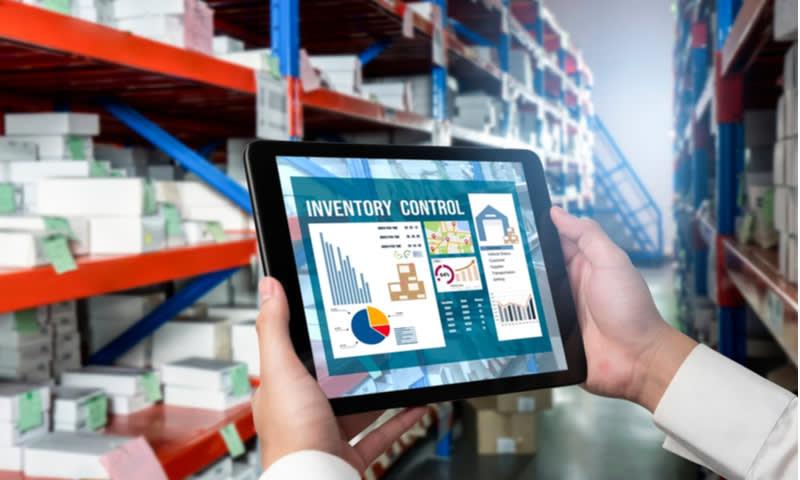
Inventory is one of the most important parts of running a small business, yet it is also one of the easiest areas to overlook until something goes wrong. Whether you manage a retail shop, a café, a tradie supply business or an online store, the right inventory setup can save time, reduce waste and improve cash flow. The challenge is knowing which features matter most when choosing a system.
For many Australian businesses, the answer is not about finding the biggest or most complex platform. It is about selecting tools that fit the way the business actually operates. Good inventory systems for small business should make stock easier to track, simpler to reorder and more reliable across day-to-day operations. The best features are the ones that help owners make better decisions without adding unnecessary complexity.
Below is a practical guide to the features small businesses should prioritise when managing inventory, with a focus on usefulness, simplicity and long-term value.
Key points
- Accurate stock tracking is essential for preventing shortages, over-ordering and lost sales.
- Real-time updates help businesses make faster and better purchasing decisions.
- Reorder alerts and low-stock notifications reduce the risk of running out of popular items.
- Barcode scanning and simple item search improve speed and accuracy.
- Reporting tools help owners understand stock movement, seasonal demand and slow-moving items.
- Multi-location support is important for businesses with more than one site or warehouse.
- Ease of use matters just as much as advanced features, especially for small teams.
1. Accurate stock tracking
The most important feature in any inventory system is accuracy. If the numbers in the system do not match what is actually on the shelf, every other function becomes less useful. Small businesses need a clear record of what is in stock, what has been sold and what needs to be reordered.
Accurate tracking helps prevent common problems such as overselling, duplicate ordering and wasted money on items that are already sitting in storage. It also gives business owners a better understanding of what is moving quickly and what is taking up space.
Why accuracy matters for small businesses
Large businesses often have teams dedicated to stock control, but small businesses usually rely on a handful of people juggling multiple jobs. That makes accuracy even more important. A system that updates stock properly after each sale or delivery can reduce manual errors and save valuable time.
2. Real-time updates
Real-time inventory updates are especially useful for businesses that sell across more than one channel. If a product is sold in-store, online or through a mobile device, the stock count should update immediately. This helps avoid embarrassing situations where a customer orders something that is no longer available.
For Australian small businesses operating in competitive markets, real-time visibility can improve customer service and reduce admin work. It also helps staff make faster decisions when serving customers, checking availability or placing urgent orders.
Where real-time updates help most
- Retail stores with both in-person and online sales
- Hospitality businesses managing ingredients and supplies
- Trade businesses tracking tools, parts and consumables
- Wholesalers handling fast-moving stock across different sites
3. Low-stock alerts and reorder points
Running out of stock can mean lost sales, unhappy customers and disrupted operations. That is why low-stock alerts are one of the most valuable features for small businesses. These alerts notify staff when an item reaches a set threshold, allowing enough time to reorder before supply runs out.
Reorder points can also be tailored to the way the business works. For example, a café may need a higher reorder threshold for staple ingredients, while a seasonal retailer may need different settings depending on the time of year.
How this supports better cash flow
Low-stock alerts do more than prevent shortages. They also help businesses avoid overbuying. Instead of placing large, reactive orders, owners can make more measured purchasing decisions based on actual stock levels and sales patterns. This can improve cash flow, which is often a major concern for small businesses.
4. Barcode scanning and fast item lookup
Speed matters when a team is busy. Barcode scanning reduces the need for manual entry and lowers the chance of mistakes. It is particularly useful when receiving stock, processing sales or completing stocktakes.
Even for businesses with a relatively small number of items, barcode scanning can make inventory management much easier. It allows staff to identify products quickly and keep records tidy without relying on memory or handwritten notes.
Simple search functions also matter
Not every business needs a highly technical system. In many cases, a clear and easy search function is just as important. Staff should be able to locate items by product name, SKU, category or supplier without wasting time scrolling through long lists.
5. Reporting and stock analysis
Good inventory management is not just about counting stock. It is also about understanding patterns. Reporting tools help business owners see which products are selling well, which items are slow-moving and when demand tends to rise or fall.
This kind of information can guide smarter purchasing decisions. It can also help businesses reduce waste, plan promotions and identify products that may no longer be worth stocking.
Useful reports for small businesses
- Sales by product or category
- Stock turnover rates
- Low-moving and dead stock reports
- Purchase history by supplier
- Seasonal demand trends
For Australian operators, reporting can also help with budgeting and planning around peak periods such as end-of-financial-year sales, Christmas trading or holiday seasons.
6. Supplier and purchase order management
A strong inventory system should make ordering easier, not more complicated. Supplier management features help businesses keep supplier details in one place, track lead times and manage purchase orders from a single dashboard.
This is valuable for small businesses that depend on reliable deliveries. When supplier information is organised, staff can quickly see what has been ordered, what is overdue and which vendors provide the best value or service.
Why this reduces admin
Instead of searching through emails or spreadsheets, a business can centralise ordering records and supplier contacts. This saves time and reduces the chance of missed orders or duplicated purchases.
7. Multi-location support
Some small businesses operate from more than one site, such as a shopfront and warehouse, or multiple retail locations. In these cases, inventory features should allow stock to be tracked by location. This makes it easier to know where items are stored and whether stock needs to be transferred between sites.
Multi-location visibility is also useful for growing businesses that may expand in future. Choosing a system that can handle more than one location from the start can save the hassle of changing platforms later.
8. Ease of use and staff training
No matter how advanced an inventory system is, it will not be useful if staff find it confusing. Small businesses should prioritise simple navigation, clear labels and straightforward workflows. The best systems are easy enough for new staff to learn quickly and reliable enough for daily use.
Ease of use also reduces training time. In a small team, every hour spent learning complicated software is an hour not spent serving customers or running the business. A practical system should fit into existing routines rather than forcing people to change everything at once.
9. Integration with sales and accounting tools
Inventory does not operate in isolation. It connects directly to sales, purchasing and financial records. That is why integration is such an important feature. A system that links with point-of-sale software, online stores or accounting platforms can reduce duplicate data entry and improve consistency across the business.
This is especially helpful for businesses that want a clearer view of profitability. When stock movements are connected to sales and finance data, it becomes easier to understand margins, expenses and overall performance.
10. Scalability for future growth
Small businesses should think ahead when choosing inventory features. A system that works well today should still be practical if the business grows. Scalability means the software can handle more products, more staff, more locations or more sales channels without becoming difficult to manage.
This does not mean choosing the most expensive or complicated option. It means selecting a system that can grow with the business while remaining simple enough to use every day.
Conclusion
For small businesses, the best inventory features are the ones that improve accuracy, save time and support better decision-making. Real-time updates, low-stock alerts, barcode scanning, reporting and simple supplier management can all make a significant difference to day-to-day operations. Multi-location tracking, integration and ease of use are also important, especially for businesses that want to grow without adding unnecessary admin.
Ultimately, inventory should help a business stay organised, not create more work. By focusing on practical features that match real operational needs, small business owners can keep stock under control, reduce waste and build a more efficient business.
FAQ
What is the most important inventory feature for a small business?
Accurate stock tracking is usually the most important feature. If stock numbers are wrong, ordering, sales and reporting all become unreliable.
Do small businesses really need real-time inventory updates?
Yes, especially if they sell through multiple channels or have busy sales periods. Real-time updates help prevent overselling and stock errors.
Are barcode scanners necessary for small business inventory?
They are not always essential, but they can save time and reduce mistakes. They are especially helpful for businesses with regular stock movement or frequent stocktakes.
Why are low-stock alerts useful?
They help businesses reorder items before they run out. This reduces lost sales and helps maintain smoother operations.
Should a small business choose inventory software that can grow with them?
Yes. A scalable system is often a smarter choice because it can support more products, staff or locations as the business expands.
What should a business avoid when choosing inventory features?
It is best to avoid systems that are overly complicated, difficult to train staff on or lacking in basic accuracy and reporting tools. Simplicity and reliability are often more valuable than unnecessary ext

 Arabic
 French
 Spanish
 Portuguese
 Deutsch
 Turkish
 Dutch
Dutch
 Italiano
 Russian
 Romaian
 Portuguese (Brazil)
 Greek
Greek