


P1.2 vs P1.5 vs P1.8 LED Screen: Which Pixel Pitch Is Right for You?
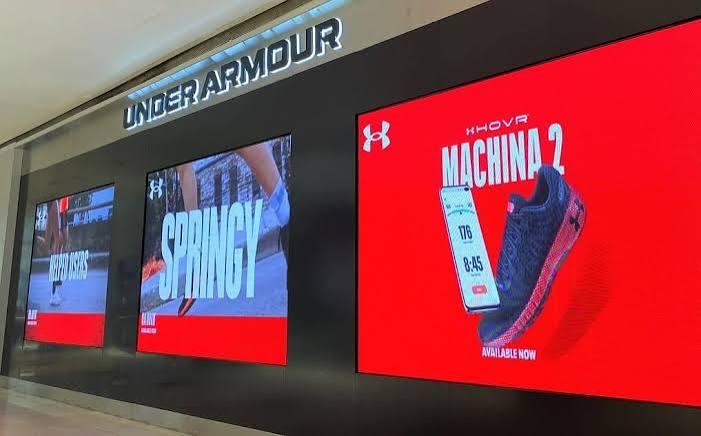
Choosing the wrong pixel pitch for your indoor LED screen is an expensive mistake. Too fine, and you're overpaying for resolution your viewers can't even appreciate. Too coarse, and the image quality falls short of what your space demands. Getting it right comes down to understanding three key numbers: P1.2, P1.5, and P1.8.
These figures refer to the distance (in millimetres) between the centre of one LED pixel and the centre of the next. Smaller number, finer detail, higher cost. But the "best" pixel pitch isn't universal — it depends on your viewing distance, content type, and budget. This guide breaks down exactly how P1.2, P1.5, and P1.8 compare, and which one is the right fit for your installation.
What Does Pixel Pitch Actually Mean for Indoor LED Screens?
Pixel pitch directly determines the resolution of an indoor LED screen. A P1.2 display has pixels spaced 1.2mm apart, while a P1.8 display spaces them 1.8mm apart. The practical consequence? A P1.2 screen packs significantly more pixels into the same physical area, producing a sharper, more detailed image.
The trade-off is cost. Fine-pitch screens are considerably more expensive to manufacture, and that cost is passed on to the buyer. For spaces where viewers stand close to the screen, the investment is worthwhile. For larger venues where audiences are seated further away, the extra resolution may be imperceptible.
A useful rule of thumb: the minimum comfortable viewing distance (in metres) is roughly equal to the pixel pitch (in millimetres) multiplied by 1,000, divided by 1,000. In simpler terms, a P1.8 screen is typically best viewed from at least 1.8 metres away, while a P1.2 screen can be viewed from as close as 1.2 metres without visible pixelation.
P1.2 LED Screens: Maximum Clarity at Close Range
What is a P1.2 LED screen best suited for?
P1.2 displays sit at the premium end of the fine-pitch indoor LED market. With pixels spaced just 1.2mm apart, they deliver exceptional image clarity and colour accuracy — even when viewers are standing within arm's reach of the screen.
This level of detail makes P1.2 screens the go-to choice for:
- Control rooms and command centres, where operators read dense data feeds from close proximity
- High-end retail environments, where product imagery needs to look flawless up close
- Corporate boardrooms, where small screen sizes and close seating demand sharp visuals
- Broadcast studios, where screens appear on camera and must hold up to close-range scrutiny
The main drawback is price. P1.2 panels carry the highest cost per square metre of the three options, and that premium rises steeply as screen size increases. If your viewers won't regularly be within 1.5 metres of the display, the additional expenditure rarely justifies itself.
P1.5 LED Screens: The Sweet Spot for Most Indoor Applications
When does a P1.5 LED screen make more sense than P1.2 or P1.8?
P1.5 has emerged as the most popular pixel pitch for indoor LED installations, and for good reason. It strikes a strong balance between image quality and cost, covering a wide range of commercial and professional use cases without the premium associated with P1.2.
At a minimum viewing distance of around 1.5 metres, P1.5 screens produce crisp, detailed visuals that hold up well for both video content and static graphics. Typical applications include:
- Conference rooms and meeting spaces, where the screen is viewed from across a table
- Retail showrooms, where visitors browse at a natural distance
- Hotel lobbies and reception areas, where signage needs to impress without breaking budgets
- Education and training facilities, with moderate classroom-style viewing distances
For most businesses investing in an indoor LED screen for the first time, P1.5 is a sensible starting point. The image quality is noticeably superior to P1.8 at close range, and the cost remains significantly lower than P1.2.
P1.8 LED Screens: Cost-Effective Quality for Larger Spaces
Where does P1.8 pixel pitch perform best indoors?
P1.8 displays are the most affordable of the three and still deliver excellent visual quality — provided viewers are positioned at an appropriate distance. At 1.8mm pixel pitch, individual pixels become visible when standing very close, but from two metres or more, the image appears smooth and cohesive.
P1.8 screens are well suited to:
- Auditoriums and lecture halls, where the audience is seated several metres from the screen
- Sports clubs and entertainment venues, where large displays are viewed from a distance
- Retail window displays, where foot traffic passes at street level
- Event hire and temporary installations, where cost-efficiency is a priority
The economics also make P1.8 attractive for large-format installations. Building a 4m × 2m screen in P1.2 can cost more than twice as much as the equivalent in P1.8 — a significant factor when screen size is more important than ultra-fine resolution.
P1.2 vs P1.5 vs P1.8: A Direct Comparison
|
Feature |
P1.2 |
P1.5 |
P1.8 |
|---|---|---|---|
|
Pixel pitch |
1.2mm |
1.5mm |
1.8mm |
|
Min. viewing distance |
~1.2m |
~1.5m |
~1.8m |
|
Image sharpness |
Exceptional |
Excellent |
Very good |
|
Cost per m² |
High |
Moderate |
Lower |
|
Best for |
Control rooms, studios |
Boardrooms, retail |
Auditoriums, events |
How to Choose the Right Pixel Pitch for Your Indoor LED Screen
Three questions will guide your decision:
1. How close will viewers be to the screen?
This is the single most important factor. Map out where your audience will actually stand or sit. If people regularly approach within 1.5 metres, lean towards P1.2 or P1.5. If the nearest viewer is consistently two metres or more away, P1.8 will serve you well.
2. What type of content will you display?
Text-heavy content — dashboards, data, detailed graphics — benefits from finer pixel pitches. Video-heavy or motion content is more forgiving, and P1.8 will still look impressive in the right environment.
3. What is your budget?
Be realistic. A P1.5 screen that fits your budget is always better than a P1.2 screen that forces compromises elsewhere. Factor in not just the panels, but installation, cabling, control systems, and ongoing maintenance.
Making the Right Call
P1.2 is the right choice when image precision at close range is non-negotiable — think broadcast studios, control rooms, and premium boardrooms. P1.5 works for the broadest range of indoor environments and is the safest default for most commercial projects. P1.8 delivers strong value for larger venues where cost and scale matter more than ultra-fine detail.
There's no universal answer, but there is a right answer for your specific space. Take the time to audit your viewing distances, content requirements, and budget before committing. And if possible, request sample panels from your supplier — seeing the difference in person, at your intended viewing distance, will tell you more than any spec sheet.
 Portuguese
 English
 Arabic
 French
 Spanish
 Deutsch
 Turkish
 Dutch
Dutch
 Italiano
 Russian
 Romaian
 Portuguese (Brazil)
 Greek
Greek